
Smart Call Attendant
Save time routing calls and welcome with an auto-attendant system designed for small businesses.
Powering conversations for 90,000+ businesses
Highest Satisfaction” business phone system (VoIP), rated by 2,900+ verified reviews






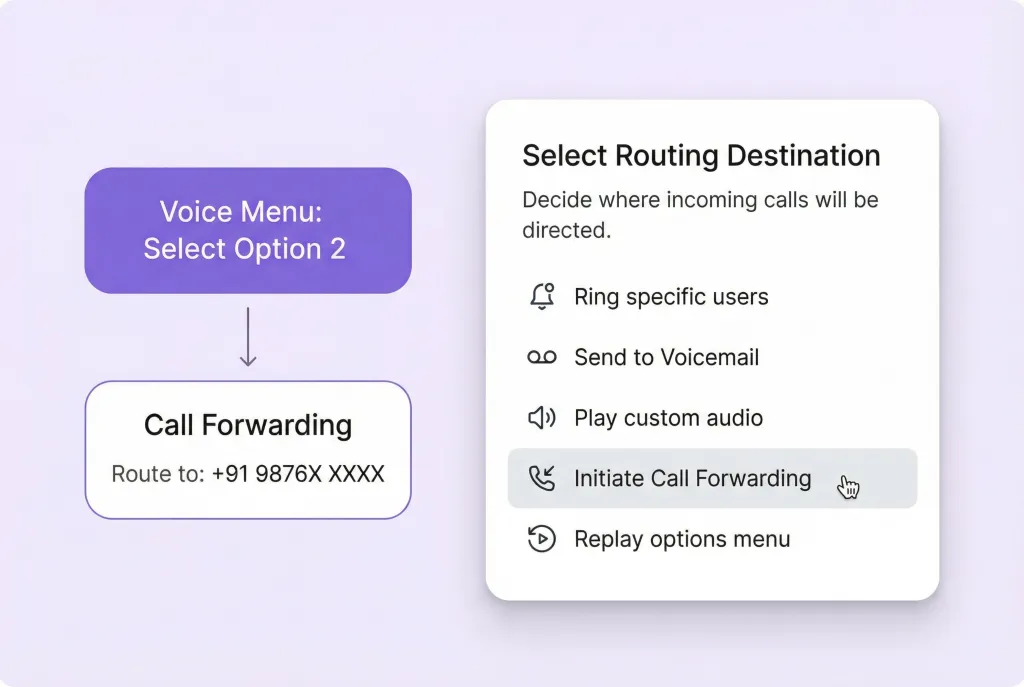
How Does Auto-Attendant Work?
An auto-attendant is a business phone feature that answers calls and guides callers using recorded menus, like “Press 1 for accounting,” without the need for a live receptionist. It’s also known as an IVR or virtual receptionist.
Auto-Attendant Phone System
An auto-attendant phone system automatically answers and routes calls to the correct person or department. Acting as a 24/7 virtual receptionist, it ensures calls are directed without human involvement.
Streamline call management at any volume without a receptionist. Auto-attendant included with every plan.
Advantages of an Auto-Attendant
Boost professionalism with a custom auto attendant. Create a personalized greeting that introduces your business and guides callers, ensuring a smooth experience.
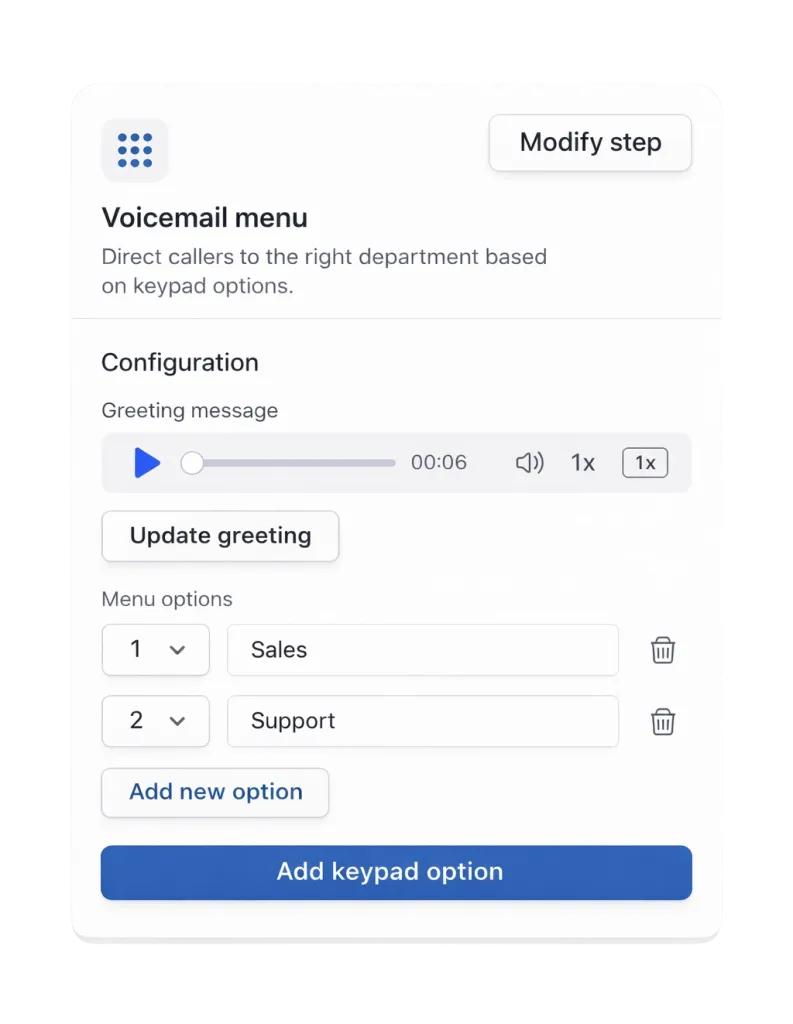
Efficient Call Routing
Streamline call management with our drag and drop builder, adding features like auto attendants for a time-saving system.
Improve Navigation with IVR
Empower customers to navigate your auto attendant using keypad or voice commands, with prompts for an experience.
Never Miss a Call Again
Distribute incoming calls using shared numbers, forwarding to voicemail, a backup number, or Zia, ensuring no missed calls.
Personalize Your Call Greetings
Customize your caller experience with a greeting, guiding callers through your auto-attendant for better interaction.
Manage Calls with Menus
Set up time-based call menus to route calls differently during business and after-hours, providing a tailored experience.
Easily Manage Menu Levels
Quickly adjust phone menu destinations when teammates are unavailable or as your team grows, ensuring smooth routing
Essential Call Management Tools for Your Team
Unlimited Calls & Texts
Free calls and texts to US or Canadian numbers.
Free Number Porting to MCM
Transfer your numbers to MCM at no cost.
AI Call Transcripts & Summaries
Automatic call transcripts and summaries.
SMS & MMS Messaging
Send and receive text and multimedia messages.
Business Hours Call Management
Customize call handling during and after hours.
Third-Party Integrations
Share call and message logs with your tools.
Setting Up an Auto-Attendant with MCM
MCM simplifies setting up an auto-attendant in four easy steps:
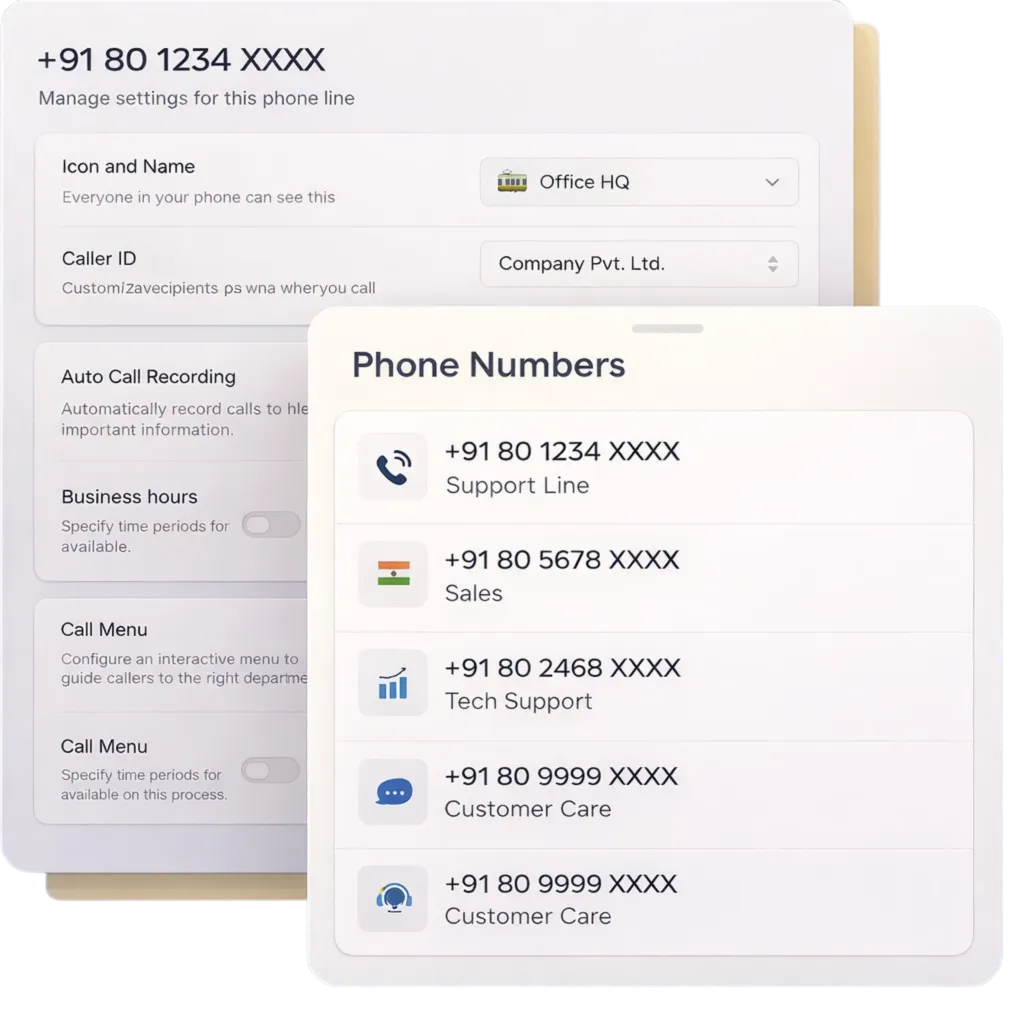
- Go to your phone number settings.
- Select an owned phone number to activate the phone menu or auto attendant.
- Set business hours for the chosen phone number, if not done already.
- Customize your menu with audio recordings, call destinations, and voice commands.
Smarter Business Calling Through VoIP Automation
Discover why thousands of businesses trust MCM for their business phone system.

Local & Toll-Free Numbers for Your Team
Add as many business phone numbers as your team needs with MCM. Choose from local US and Canadian numbers or North American toll-free options.
Enhance credibility by selecting phone numbers with familiar area codes specific to your target cities or states. For businesses serving multiple regions, toll-free numbers offer dedicated customer support. Stand out by choosing a vanity number customers can easily remember.
Every MCM plan includes a number for each user. Share numbers for customer support or sales teams. As your team grows, add more numbers for just $5 per number each month.
Enhance Team Collaboration with MCM
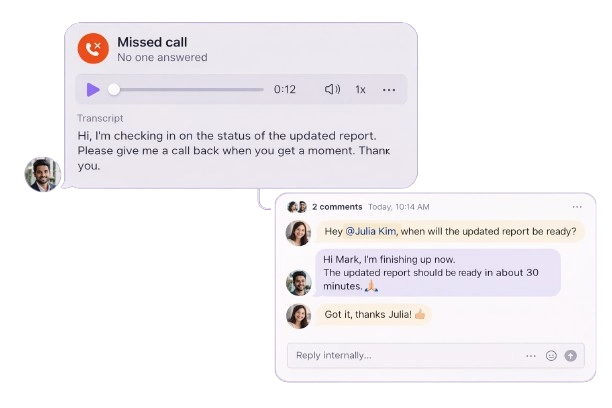
Improve customer relationship management as a team in MCM. Manage calls and texts with shared numbers, and gain visibility into customer interactions through a shared inbox.
Easily assign follow-up tasks and resolve issues in real time using internal threads. Check if your teammates are up-to-date on conversations with inbox viewers, eliminating the need for direct messages.
Collaborate seamlessly on live calls. Use warm transfers to hand off calls with context, and bring stakeholders together on the same call with group calling.
Simplified Call Handling for Your Team
Ensure no inbound call is missed with our advanced call routing and management features. Set up ring groups to have calls routed simultaneously or in custom batches. Allow callers to reach team members directly through our automated attendant.
When your team is busy or unavailable, route calls to Zia, our AI answering service. Zia can record detailed messages and handle common inquiries for your team. You can also forward calls to a backup emergency number or a pre-recorded message.
Enhance Your Messaging with Advanced Features
Communicate efficiently with customers using our advanced texting tools. Set up SMS auto-replies for after-hours messages and schedule follow-ups based on customers’ time zones to avoid texting late. Speed up responses with pre-written text templates, or snippets.
Increase message volume with automated text workflows. Automatically send appointment confirmations, reminders, and review requests using our Zapier and Make integrations. Share more with MMS messaging by sending photos or videos to customers.
Streamline Administrative Tasks with Automation
Eliminate busywork by automating call and text logging to your CRM with HubSpot, Jobber, and Salesforce integrations. Customize your integration with the MCM API for seamless connections to your preferred system.
With MCM, there’s no need for manual note-taking. Automatically record calls and generate AI-powered summaries and transcripts. Use AI to analyze customer feedback, identify trends, and categorize calls with AI-powered tags.
Call & Text from Anywhere with MCM
Stay connected with a business phone that works wherever you are. Whether your team is at the office, home, or on the move, they can easily communicate with customers using MCM. Download MCM for Mac, Windows, iOS, and Android, or use it directly in your browser. All you need is an internet connection to get started.
No additional charges
Learn just what you’re spending on your company phone service online today on our pricing page.
Frequently Asked Questions
Didn’t find what you’re looking for? Explore our Resource Center.
How Auto-Attendant Systems Function
Callers can navigate menu options using their keypad or voice commands (IVR). Advanced systems may also feature a dial-by-name directory for easy access.
Why Should Businesses Use Auto-Attendants?
Auto-attendants offer several key benefits for businesses:
- Better Customer Experience: How do auto-attendants improve the customer experience? They help customers quickly connect with your team without long wait times or call transfers.
- Shorter Wait Times: How do auto-attendants reduce wait times? Customers can connect instantly, which leads to faster service and higher satisfaction.
- Reduced Spam Calls: How do auto-attendants help with spam calls? Robocallers find it difficult to navigate phone menus, which helps your team focus on genuine customer calls.
What’s the Difference Between an Auto-Attendant and an IVR?
An auto-attendant is a menu-based system that helps callers reach various departments within a business. Some auto-attendant systems include IVR (Interactive Voice Response), allowing callers to access additional menu options through voice or keypad prompts.
How do you add personalized greetings to your OpenPhone auto-attendant?
Select Add a greeting message in the Phone menu under the call flow section, then choose one of the following options:
Upload an audio file: Use a pre-recorded message (MP3 or WAV).
Record audio: Make a greeting directly inside OpenPhone.
Text-to-speech: Enter text to generate a polished voice message.
Sample greeting:
“Thank you for reaching Acme Incorporated. For sales inquiries, press one. For customer support, press two. For office hours and location details, press three. To speak with an operator, press zero.”
How Many Phone Menu Options Can You Add in MCM?
In MCM, each phone menu level supports up to 10 options, corresponding to the numbers zero through nine on the phone keypad.
How Many Sub-Menus Can You Add in MCM's Auto-Attendant?
In MCM, you can add up to two nested sub-menus in the auto-attendant feature for more customized call routing.
Auto-Attendants vs. Call Queues: What’s the Difference?
Auto-attendants guide callers to the right department or team, while call queues manage callers who are waiting to speak with someone. Call queues are commonly used in call centers to handle high call volumes efficiently.
What Are Some Auto-Attendant Script Examples?
Here are a few auto-attendant script examples:
- Basic Auto-Attendant Greeting:
Hello! Thanks for calling XYZ Company. Our hours of operation are 9 AM to 5 PM Eastern time, seven days a week. Please select from the following menu options to reach a specific department:- For the sales department, press one.
- For the billing department, press two.
- For the public relations department, press three.
- For all other inquiries, stay on the line to speak to a customer support representative.
- Customer Support Script:
Thank you for contacting XYZ Customer Service.- If you are a new customer, press one.
- For existing customers, press two.
- For more information about XYZ Company, press three.
- To repeat this message, press zero.
- Restaurant Script:
Hello! You’ve reached XYZ Bistro. For reservations, press one. For information about our menu, press two. To place a to-go order, press three. For all other inquiries, please stay on the line.
Looking for more examples? Check out our blog for 20+ clear auto-attendant script samples.
Auto-Attendants vs. Answering Services: Which Should I Use?
Both auto-attendants and answering services offer unique benefits for small businesses. With MCM, you don’t have to choose between them. Add an auto-attendant to your call flow to guide customers to the right team. You can also provide an option for callers to speak with Zia, our AI answering service, if they can’t reach your team or need quick assistance.